Entries: set up the round
Use the controls available for this tool to edit choices, set a range or choose game rules. Review prompts and repeat settings before spinning. The Sound effects switch is below these controls.

Party Game
Choose a category or create your own Truth and Dare prompts, then spin the wheel.
Browse Truth or Dare tools ↓✍️ Playing with your custom Truths and Dares
Add one prompt per line. Your custom game stays saved in this browser.
Track whose turn it is and the rounds each player completes. These are turn counts, not scores.
Newest first. Clearing history does not restore removed entries or reset the round.
Your results will appear here after you spin.
Choose colors and sounds. Selection rules and probabilities stay the same.
2 outcomes, 2 colors. Repeated labels share the same color.
Choose the category that fits your group or add your own prompts, and spin the wheel. If the wheel lands on Truth, answer the question honestly. If it lands on Dare, complete the challenge. Players should always be free to skip a prompt that makes them uncomfortable.
Complete game
Choose a ready-made category or write your own prompts, then let the wheel pick Truth or Dare and reveal a matching challenge.
This all-purpose Truth or Dare spinner combines a customizable wheel with ready-made question libraries. It works for quick two-player rounds, larger party groups and hosts who want to write their own prompts without creating an account.
Choose the audience and intensity before the first spin and agree that anyone may skip. The wheel automatically avoids repeats until the active pool is exhausted. Recent results make it easy to see what has already been selected.
Use the controls available for this tool to edit choices, set a range or choose game rules. Review prompts and repeat settings before spinning. The Sound effects switch is below these controls.
Read previous selections, newest first, and use Clear history when you want an empty list. This leaves the active choices and no-repeat pool intact.
Choose a wheel theme, select a winning sound and preview it. The Sound effects switch here stays synchronized with Entries. Colors and sounds do not change selection odds.
Open Results to see the newest selections first. Clear history removes that list; it does not restore removed winners or reset a no-repeat round. Use the tool’s reset control when you want to start a new round.
Open Settings to choose a theme and winning sound. Sound effects is also available in Entries; both switches control the same setting. Turning sound off mutes wheel clicks and the winning sound. Choosing No winning sound only mutes the celebration. Your sound preference is remembered for this English tool in this browser when browser storage is available.
No. Themes only change appearance. Two-outcome wheels use two colors and three-outcome wheels use three. Repeated labels share a color in the selected theme. Entries, repeated slices and any weights still determine the odds.
In Entries, enable Track turns and completed rounds below Sound effects, then add up to 30 unique nicknames. A message explains any duplicate nicknames or names beyond the limit that are left out. Completed records a round and advances; Pass records a skip and advances. Pick random player changes the turn without recording a round. Reset rounds clears the counts. Spins do not advance the tracker automatically, and tracker data clears on refresh.
Choose a built-in category or add custom Truths and Dares.
Click or tap the wheel to spin and wait for the wheel to stop.
Answer the Truth or complete the Dare shown in the result window.
These captures show the current English controls on desktop and phone. Follow the steps below each image; your random results will vary. Select an image to view it at full size.
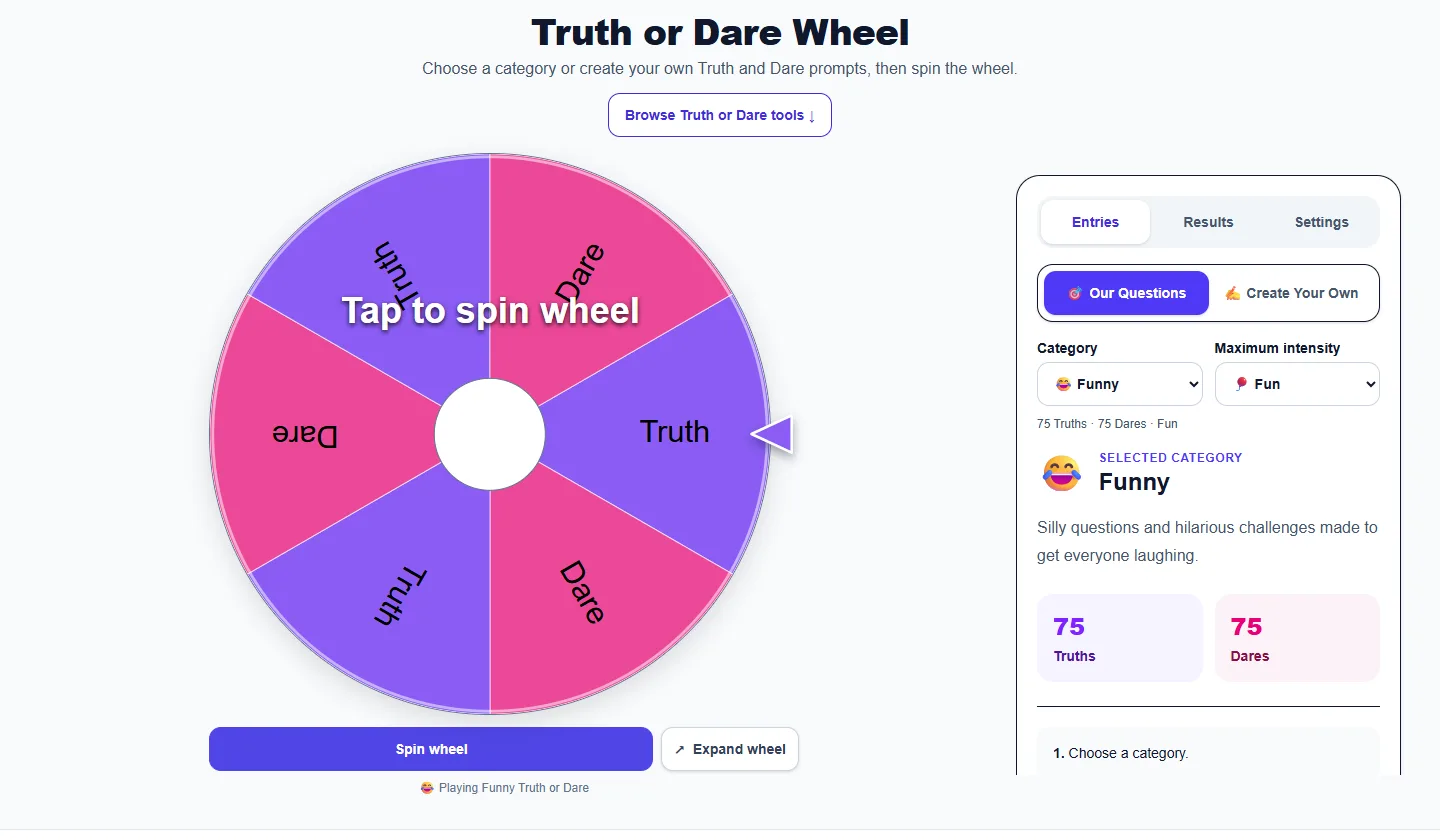
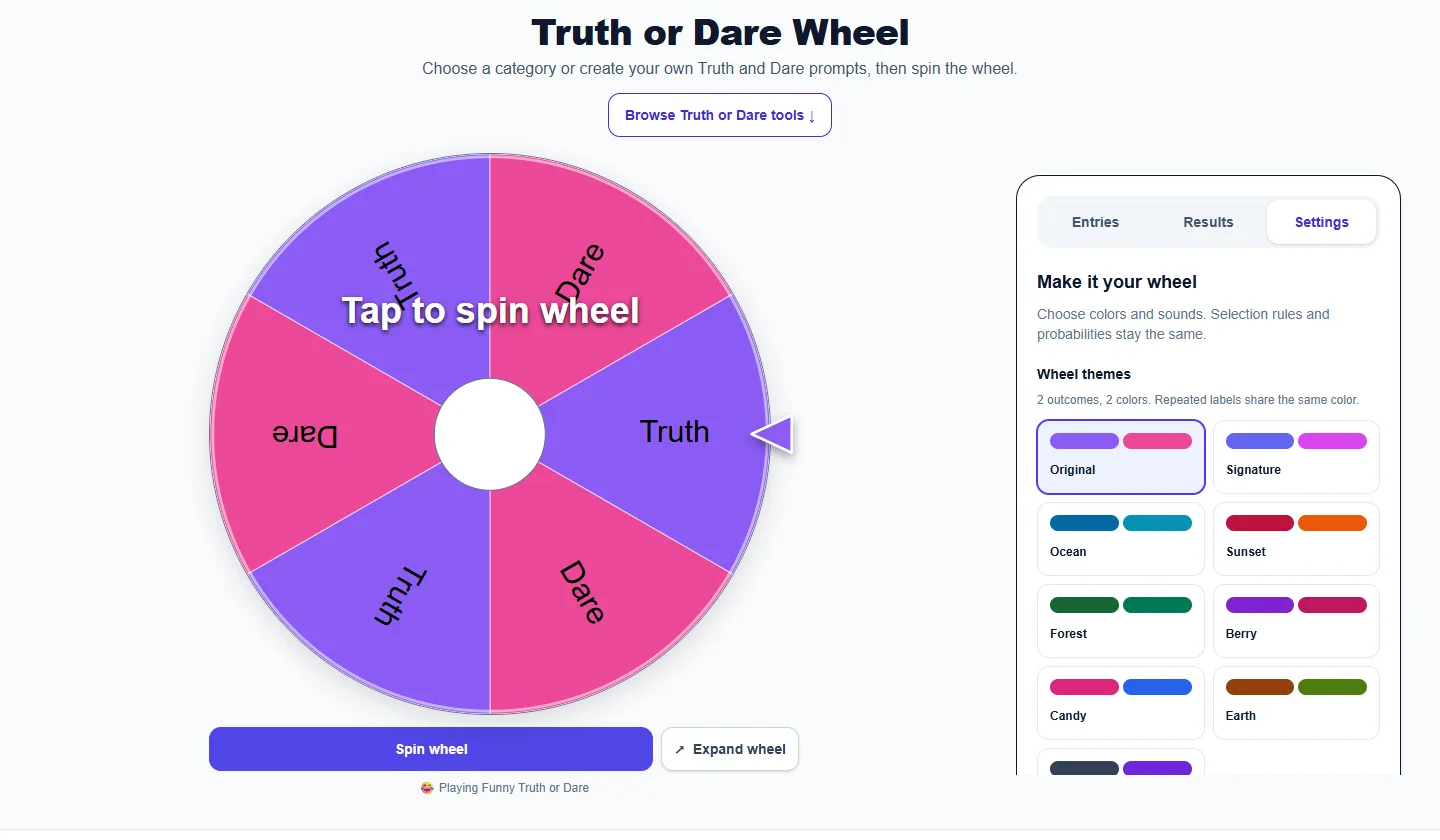

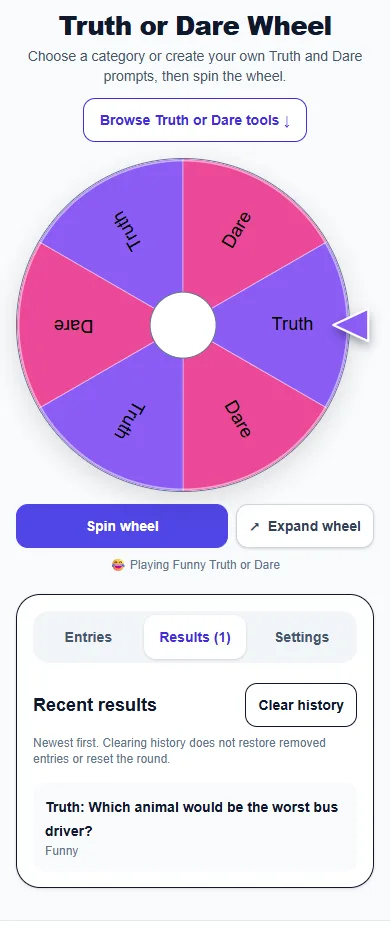
Pick an audience that fits everyone playing. For a mixed-age family, use Kids & Family; for a sleepover, start with Friends or Teens. Agree on off-limits topics and make passing an ordinary option. Decide whether players take turns clockwise or use the optional player tracker to pick a random person.
Choose a ready-made category or switch to Create Your Own. With custom lists, enter one prompt per line in both the Truth and Dare boxes so either wheel result has something to draw. A Truth asks for an honest answer; a Dare offers a short challenge. Players can adapt a dare to their mobility, space or comfort level.
Fun prompts work well when people are meeting for the first time. Deep questions suit friends who want longer conversations; couples prompts suit a date night. Adult and Spicy libraries are for adults and stay non-explicit. For children, keep an adult nearby to review each prompt. Age filters help narrow a library, but the host should still check what fits the group.
On a call or in a group chat, choose Over Text or Long Distance and send the prompt to the current player. Avoid challenges involving other people’s accounts, private messages or photographs without permission. No one needs to share passwords, contact a stranger, spend money or prove that they completed a dare.
Each category in the shared English library has 100 Truths and 100 Dares. Fun starts with 75 of each, or 100 of each in Kids & Family. Higher intensity settings include more of the full pool; age and remote-play filters can narrow it. Custom games use only the prompts you enter.
Allow about a minute for a light round and longer for a thoughtful answer. Use Another prompt to change the challenge for the same Truth or Dare result, or Spin again to let the wheel choose again. The wheel automatically avoids repeats until the active pool is exhausted. If you change the category or intensity, the eligible pool changes too.
In Entries, enable Track turns and completed rounds below Sound effects. The optional tracker records completed rounds and passes separately. After a player responds, press Completed to move to the next person; press Pass if they skip. These are turn counts, not a competition. Stop after everyone has had a few turns or whenever the group wants a break.
Start with concrete, answerable questions such as “What is a small kindness you remember?” and short, flexible dares such as “Invent a ten-second weather report.” Keep one idea in each prompt. Read the list once before playing, remove anything too personal and balance quiet challenges with playful ones.
Browse the filtered questions and dares library to choose prompts ahead of time, then copy your favorites into the custom wheel. For one type of round, use the truth question generator or random dare generator.
The wheel automatically avoids repeating a prompt until the active pool is exhausted. Changing the category, intensity or custom list changes the available pool.
Yes. Switch to Create Your Own and enter one Truth or Dare per line.
Yes. It is free and does not require an account.
Choose whose turn it is, spin for Truth or Dare, and let that player answer the question or try the challenge. Agree on boundaries first. Anyone can pass, adapt a challenge or ask for another prompt without a penalty.
Use Kids & Family when children are playing, and have an adult review each prompt. Teens have a separate game. Adult and Spicy libraries are for adults; choose the mode for the youngest person in the group.
Yes. Choose Over Text or Long Distance for remote play. One person can draw and copy the prompt into the chat while the group takes turns. The questions library also has a remote-play filter.
In Entries, enable Track turns and completed rounds below Sound effects, then add one nickname per line and follow the displayed current player. Mark Completed or Pass to advance in order, or pick a random player. Spinning does not automatically advance turns. Counts clear when the page is refreshed.
Open the Truth or Dare Questions page to filter the library by category, prompt type, youngest player, maximum intensity and remote play. Copy individual prompts into your own list to prepare a custom game.
Pass or ask for another prompt. You do not need to explain your choice. Hosts should remove prompts that do not fit the group and allow accessible alternatives to physical challenges.
More from Spinning My Wheel
Jump to another main picker when you need names, decisions, party prompts, or random numbers.
Add names or choices, spin the wheel, and pick one at random.
Open tool →Get a random yes, no, maybe, or decision-style answer.
Open tool →Spin for Truth or Dare with built-in categories and prompts.
Current pageChoose a number range or open one of our focused random generators.
Open tool →