Truth or Dare Over Text

Truth or Dare Over Text

Play Truth or Dare by text, DM, or group chat with prompts designed to work remotely—no in-person challenges required.

💬 Playing Friends mode

Choose a mode

Each mode draws from 50+ Truth questions and 50+ Dare challenges.

💬

Selected mode

Friends

Chat-friendly questions and dares for friends and group chats.

110
Truths
110
Dares
🔄 Prompts do not repeat until the selected mode has been exhausted.

Optional player tracker

Track whose turn it is and the rounds each player completes. These are turn counts, not scores.

💬 Friends

Friends Truth Questions and Dares

Showing 50 of 110 Truths and 50 of 110 Dares from the selected Friends mode.

Truth Questions

1.What is the funniest message you have ever sent?
2.Who was the last person you texted?
3.What emoji do you use the most?
4.What is your favorite inside joke with your friends?
5.What is one message you wish you could unsend?
6.What is the funniest group-chat moment you remember?
7.What is one thing your friends always tease you about?
8.What is your favorite meme right now?
9.Have you ever typed a message and decided not to send it?
10.What is the longest group chat you are part of?
11.What message always makes you smile?
12.Who was the last person you sent a meme to?
13.What emoji best describes your day?
14.What conversation could keep you awake all night?
15.What is the funniest text you have sent to the wrong person?
16.What is the longest conversation you have had over text?
17.What makes it easier to choose the right words in a message?
18.Which sticker or GIF do you use too often?
19.What topic is easier for you to discuss by message?
20.What kind of reply makes a group chat more welcoming?
21.Which made-up word would improve a group chat?
22.What is the best way to tell a funny story in one message?
23.Which punctuation mark matches your mood today?
24.What topic would you turn into a three-message guessing game?
25.What would your ideal chat-room name be?
26.Which fictional character would send the longest voice notes?
27.What is a helpful way to say you will reply later?
28.What is a message length you find easiest to read?
29.Which song would you recommend without sharing a link?
30.What is the funniest imaginary notification you can invent?
31.What text shortcut did you misunderstand at first?
32.What makes a digital invitation easy to answer?
33.Which hobby would you enjoy discussing by message?
34.What is a tiny detail from today you could describe without a photo?
35.What is your favorite kind of word game to play remotely?
36.What kind of greeting makes a message feel personal?
37.What compliment would make you smile in a chat?
38.How do you like someone to invite you to a call?
39.What is a playful question that helps you get to know someone?
40.Which emoji would suit a low-pressure coffee invitation?
41.What makes a flirty message feel respectful to you?
42.What is a sweet way to say you enjoyed a conversation?
43.Would you prefer a thoughtful short message or a chatty voice note?
44.What shared interest would you use to start a conversation?
45.How do you show that a playful joke is meant kindly?
46.What makes a goodnight message feel comfortable rather than obligatory?
47.What kind of invitation would be easy for you to decline politely?
48.How do you make room for different reply speeds?
49.What is a topic you would rather discuss on a call than in text?
50.What is a messaging boundary you wish people respected?

Dare Challenges

1.Send a funny GIF to the group chat.
2.Reply using only emojis for your next two messages.
3.Send a voice note using a dramatic movie-trailer voice.
4.Change your group-chat nickname for 10 minutes.
5.Send the funniest sticker you have.
6.Type your next message with your eyes closed.
7.Send a compliment to another player.
8.Write a two-line poem about the group chat.
9.Send a harmless meme that describes your mood.
10.Use only questions in your next two replies.
11.Write a fictional compliment without sending it to anyone outside the game.
12.Reply to this game round using only emojis, if you like.
13.Record a ten-second dramatic voice note.
14.Send the funniest safe GIF you can find.
15.Write a two-line story and let the other player finish it.
16.Send a voice note in a game-show-host voice.
17.Describe an imaginary photo that captures your mood.
18.Write a compliment without using the word you.
19.Send three emojis that tell a tiny story.
20.Ask the other player to describe an imaginary picture in three words.
21.Write a one-sentence mystery with a surprising last word.
22.Invent a three-word name for this chat.
23.Describe an imaginary room using only five nouns.
24.Type an announcement for a fictional holiday.
25.Write a tiny weather forecast for your current mood.
26.Recommend a song using three clues instead of its title.
27.Create a text-only menu for an imaginary cafe.
28.Describe an animal without naming it for the other player to guess.
29.Invent an amusing but kind out-of-office message.
30.Write a six-word story about a lost umbrella.
31.Type a tongue twister that uses the same first letter three times.
32.Turn your day into a made-up newspaper headline.
33.Give a fictional spaceship a friendly welcome message.
34.Write the first line of an imaginary adventure novel.
35.Describe a hobby without using its usual name.
36.Write a warm compliment about the other player's sense of humor, if welcome.
37.Draft a coffee invitation that clearly allows a no; do not send it outside the game.
38.Choose three emojis for a relaxed first meeting.
39.Write a playful greeting without using hello or hi.
40.Suggest a shared online activity that needs no new account.
41.Compose a two-line message about enjoying a conversation.
42.Invent a sweet but fictional goodnight message.
43.Ask an optional question about the other player's favorite kind of date.
44.Create a pretend invitation using only ten words.
45.Write a compliment about curiosity rather than appearance.
46.Describe a thoughtful remote surprise that requires no photos.
47.Propose a song for a shared listening session without sending a link.
48.Type a playful message that makes no assumptions about attraction.
49.Practice saying you will reply when you have more time.
50.Rewrite an impatient message as a respectful request.

Chat game

How to use Truth or Dare Over Text

Prompts that can be answered or completed remotely in DMs, group chats and long-distance conversations.

Truth or Dare Over Text is optimized for messages, DMs and group chats. Its questions can be answered in writing, while its dares use texts, photos or voice notes only when everyone agrees.

Choose a chat-friendly mode, spin, then copy the result into the conversation. For long-distance couples, the dedicated remote version offers an even more relationship-focused prompt pool.

Using Entries, Results and Settings

Entries: set up the round

Use the controls available for this tool to edit choices, set a range or choose game rules. Review prompts and repeat settings before spinning. The Sound effects switch is below these controls.

Results: review your history

Read previous selections, newest first, and use Clear history when you want an empty list. This leaves the active choices and no-repeat pool intact.

Settings: choose the look and sound

Choose a wheel theme, select a winning sound and preview it. The Sound effects switch here stays synchronized with Entries. Colors and sounds do not change selection odds.

Wheel controls FAQ

Where can I find or clear previous results?

Open Results to see the newest selections first. Clear history removes that list; it does not restore removed winners or reset a no-repeat round. Use the tool’s reset control when you want to start a new round.

How do I change colors or turn sound off?

Open Settings to choose a theme and winning sound. Sound effects is also available in Entries; both switches control the same setting. Turning sound off mutes wheel clicks and the winning sound. Choosing No winning sound only mutes the celebration. Your sound preference is remembered for this English tool in this browser when browser storage is available.

Do themes change the chance of winning?

No. Themes only change appearance. Two-outcome wheels use two colors and three-outcome wheels use three. Repeated labels share a color in the selected theme. Entries, repeated slices and any weights still determine the odds.

How does the optional player tracker work?

In Entries, enable Track turns and completed rounds below Sound effects, then add up to 30 unique nicknames. A message explains any duplicate nicknames or names beyond the limit that are left out. Completed records a round and advances; Pass records a skip and advances. Pick random player changes the turn without recording a round. Reset rounds clears the counts. Spins do not advance the tracker automatically, and tracker data clears on refresh.

  1. 1

    Choose a chat-friendly prompt mode.

  2. 2

    Spin and copy the selected prompt.

  3. 3

    Send it in your chat and take turns.

Truth or Dare Over Text: Setup and Example Results

These captures show the current English controls on desktop and phone. Follow the steps below each image; your random results will vary. Select an image to view it at full size.
Set up on desktop

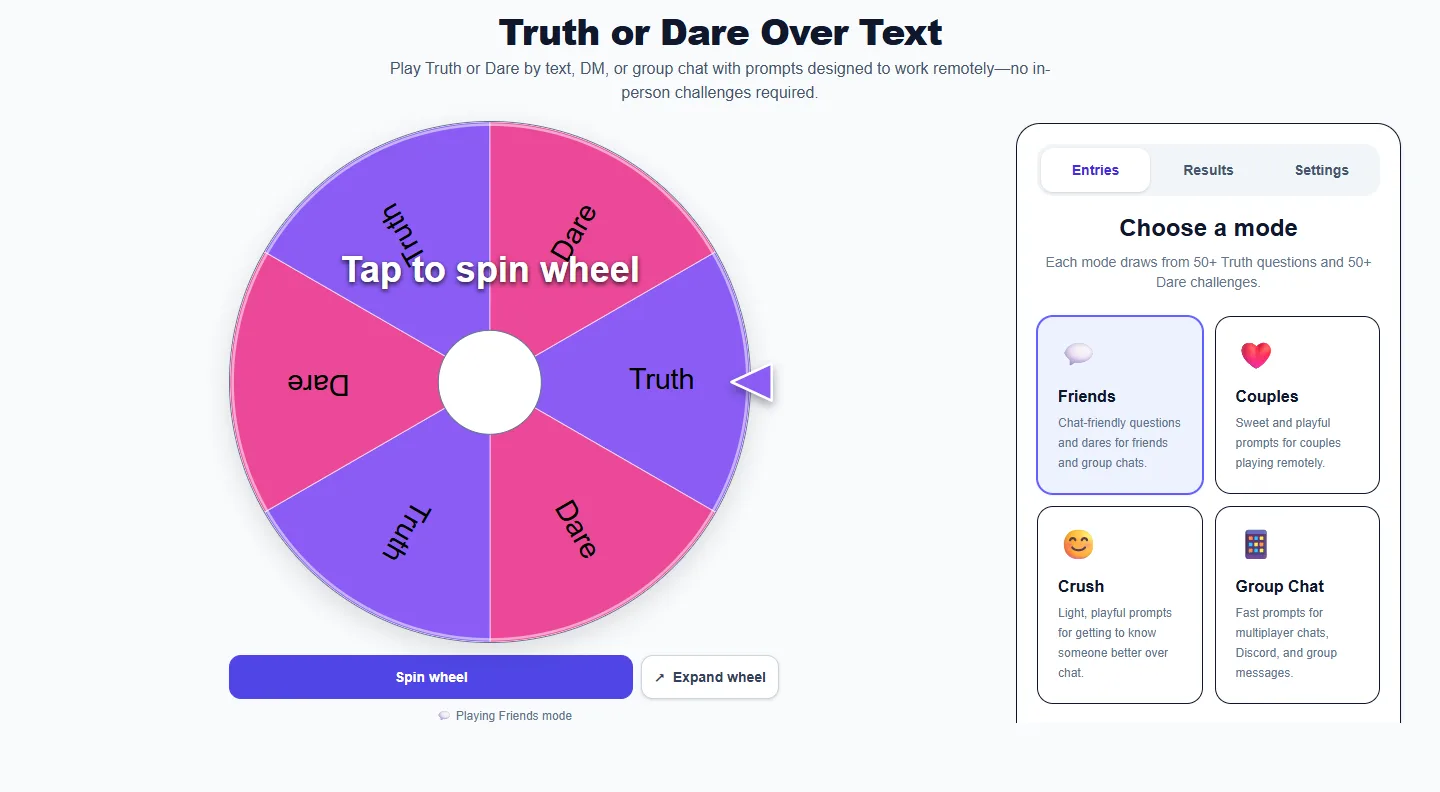
Truth or Dare Over Text: desktop setup and controls
Choose a mode or maximum intensity in Entries before spinning. Agree on boundaries and allow every player to pass. On desktop, scroll the control panel to reach any controls below the visible area.

Appearance and sound settings

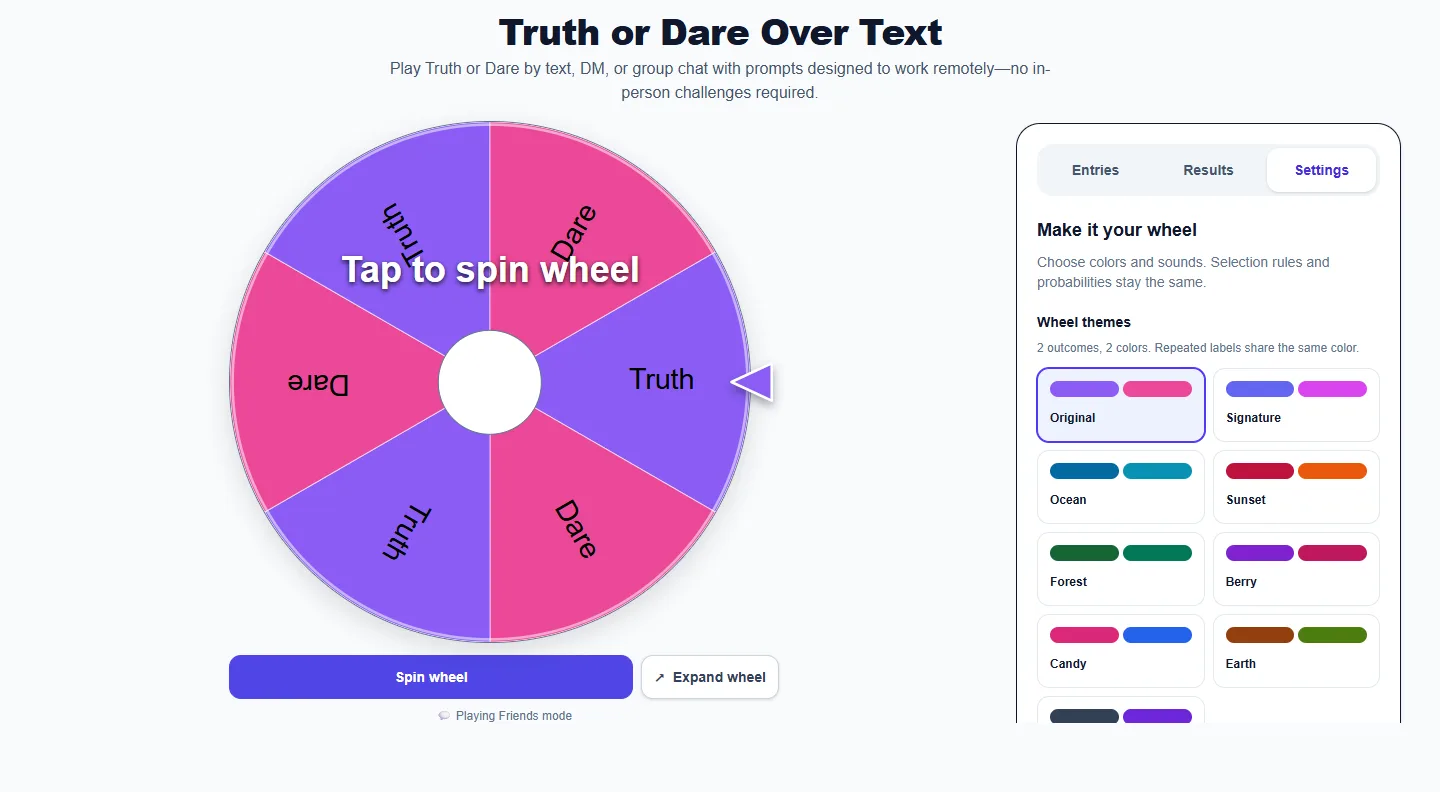
Truth or Dare Over Text: Settings panel with themes and sound controls
Open Settings for themes and Winning sound. Scroll the panel to reach lower controls. Sound effects stays synchronized with Entries. No winning sound mutes the celebration while leaving wheel clicks available when Sound effects is on.

Read the result

Truth or Dare Over Text: completed example and available controls
Read the Truth or Dare prompt after the spin. Use the alternative-prompt control when needed and Results for earlier prompts. The optional player tracker records completed rounds and passes separately from spins.

Use it on a phone

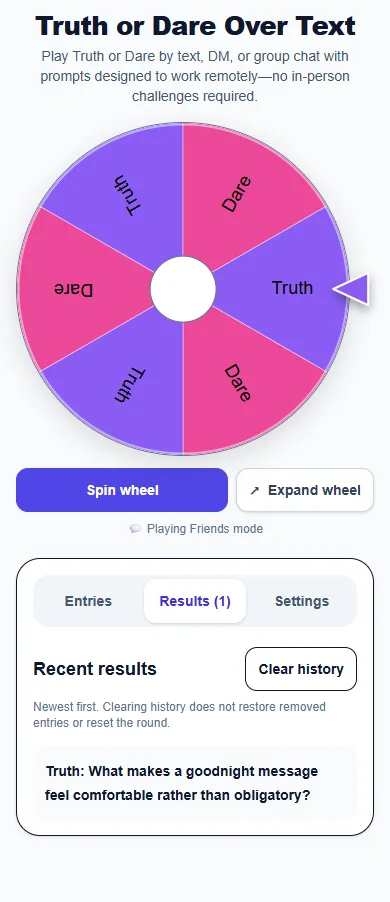
Truth or Dare Over Text: phone layout showing the Results panel
On a phone, the wheel and control panel stack vertically. Open Results to review earlier selections, Entries to adjust the next round, or Settings for appearance and sound.

Real examples

  • Send a funny prompt to a friend.
  • Play in a group chat during a quiet evening.
  • Use romantic prompts during a long-distance call.

Best ways to use it

  • Direct messages
  • Group chats
  • Long-distance relationships

Frequently asked questions

How do you play Truth or Dare over text?

Pick a player, spin for a prompt, copy it into the chat and rotate turns.

Do text dares require video?

No. The prompts are designed to work through messages, photos or short voice notes when everyone agrees.

Can I copy a result?

Yes. Use the copy control in the result window.

More from Spinning My Wheel

Explore Our Main Tools

Jump to another main picker when you need names, decisions, party prompts, or random numbers.