40 choices
Food
Dinner Ideas
Choose tonight’s meal.
Vegetable stir-fry · Chicken stir-fry · Bean tacos…
Open template →
Add names or choices, then spin.
🔒 Private in this browser · up to 500 entries
With equal entry weights, entering someone twice gives them twice the chance of someone entered once. Repeated entries stay unless you choose to remove them.
Matching ignores case and extra spaces, but keeps accents and IDs distinct. Use an initial or ID for different people who share a name.
No repeated names detected.
Track whose turn it is and the rounds each player completes. These are turn counts, not scores.
Newest first · saved in this browser
Your winners will appear here after you spin.
Colors and sounds change the experience. Every entry keeps the same chance.
Save a named copy in this browser. To use that copy later, return to this tool and choose Load under My wheels. Later edits do not update the saved copy.
Your current list is restored after refresh in this browser when local storage is available. Named copies remain separate and must be loaded.
Up to 20 copies per tool and language. Saving another copy at the limit removes the oldest. Clearing site data deletes saved copies.
A head start for every spin
95 ready-made templates. Load one, edit the choices, and make it yours.
12 featured templates · 95 available
Food
Choose tonight’s meal.
Vegetable stir-fry · Chicken stir-fry · Bean tacos…
Open template →Gaming
Fan-made inspiration for your next build.
Treehouse · Lighthouse · Castle gate…
Open template →Sports
Pick from the 20 clubs in England’s 2026/27 Premier League.
Arsenal · Aston Villa · AFC Bournemouth…
Open template →Classroom
Adapt each activity to your group.
Look out a window · Draw a tiny doodle · Take three calm breaths…
Open template →Movies & TV
Choose a series for your next viewing session. Edit to match your subscriptions and preferences.
The Office · Parks and Recreation · Abbott Elementary…
Open template →Chores & Tasks
Match tasks to your household.
Water plants · Fold laundry · Wipe counters…
Open template →Food
Build a pizza one spin at a time.
Mushrooms · Black olives · Green olives…
Open template →Classroom
A starting point for a short story.
A missing map · A talking tree · A surprise visitor…
Open template →Sports
Choose from 30 North American basketball teams. List checked October 2026.
Atlanta Hawks · Boston Celtics · Brooklyn Nets…
Open template →Movies & TV
Pick an anime series from a mixed-audience list. Review age ratings for your group.
Fullmetal Alchemist: Brotherhood · Spy x Family · Haikyu!!…
Open template →Party
Act without speaking.
Penguin · Elephant · Cat…
Everyday
Choose a low-pressure activity.
Visit a park · Cook a new recipe · Read a book…
About the wheel
Spinning My Wheel is a private, no-signup random picker for classrooms, giveaways, games, teams, chores, food choices, and everyday decisions. Add up to 500 entries, spin in seconds, remove winners as you go, or switch to a weighted wheel when some options should have different odds instead of treating every option the same. Use the presenter mode for a clean projector-friendly view.
You can use the wheel as arandom name picker, decision wheel, classroom picker, giveaway wheel, food picker, chore wheel, team picker, or simple yes-or-no style decision tool. No account is required, and your main wheel entries and settings can stay stored in your browser for easier use when you return.
Step 1
Enter names, numbers, tasks, foods, teams, students, activities, or any other options you want the wheel to choose from.
Step 2
Click or tap the wheel and watch the wheel rotate through your entries before stopping on a randomly selected result.
Step 3
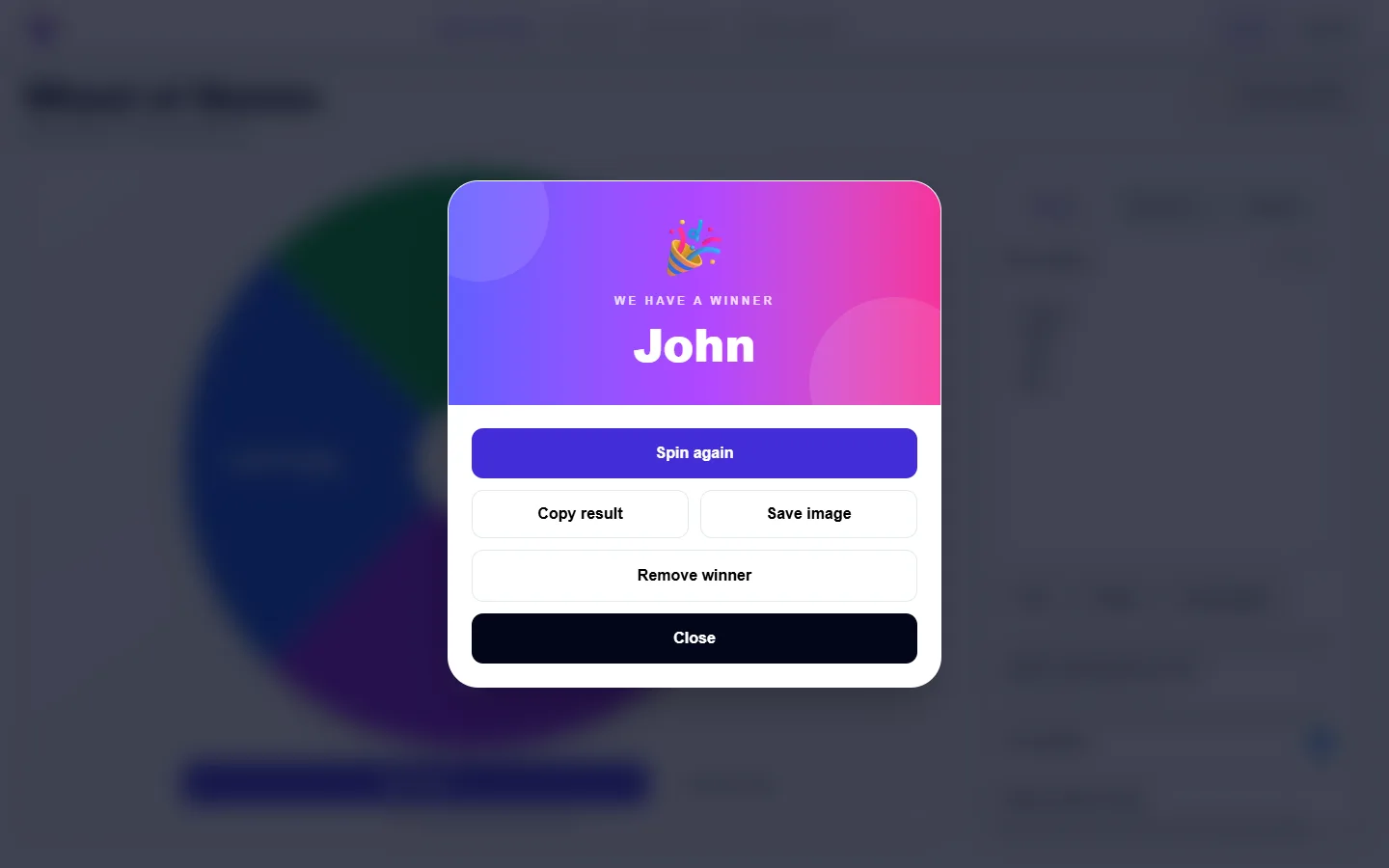
Keep the winner, remove it before the next spin, or spin again to make another random choice.
A random wheel can be useful whenever you have several options and want a quick, neutral way to choose between them. Instead of debating between choices or manually selecting a winner, you can put every option on the wheel and let the spinner decide.
Add a list of names and use the wheel to choose a person for a game, activity, presentation, giveaway, or group decision.
Teachers can add student names and randomly choose who answers a question, starts an activity, joins a group, or presents next.
Add restaurants, meals, takeout options, or cuisines and let the food wheel decide what you should eat.
Put chores, study tasks, household jobs, or items from your to-do list on the wheel and randomly choose what to do next.
Add participant names or entry labels and spin to choose a random giveaway or raffle winner.
Use the wheel for movies, games, activities, team order, travel ideas, dinner choices, challenges, or any decision where several options seem equally good.
The wheel selects a winner before the animation begins and then spins to land on that selected entry. Spinning My Wheel uses the browser's cryptographically secure random number generator instead of relying on the standard Math.random() function for the winner selection.
Each spin is a new random selection. This means the same entry can win more than once when repeats are allowed. If you want every option to be selected only once, enable the option to remove the winner after each spin.
The main wheel does not require an account. Your entries, settings, sound preference, and recent wheel information can be stored locally in your browser so you can return to the tool without signing in.
Avoid entering passwords, financial information, medical information, or other sensitive personal data into any public or shared random picker.
Yes. You can use the random wheel and the ready-made picker tools without creating an account.
Yes. Replace the example entries with your own names, choices, tasks, teams, foods, activities, or other options before spinning.
Yes. Turn on the remove-winner option and the selected entry will be removed before the next round.
Yes. The wheel and picker tools are designed to work on desktop, tablet, and mobile screens.
Spinning My Wheel also includes ready-made tools for random names, students, teams, foods, movies, giveaways, raffles, chores, numbers, dice, Yes or No, and Truth or Dare.
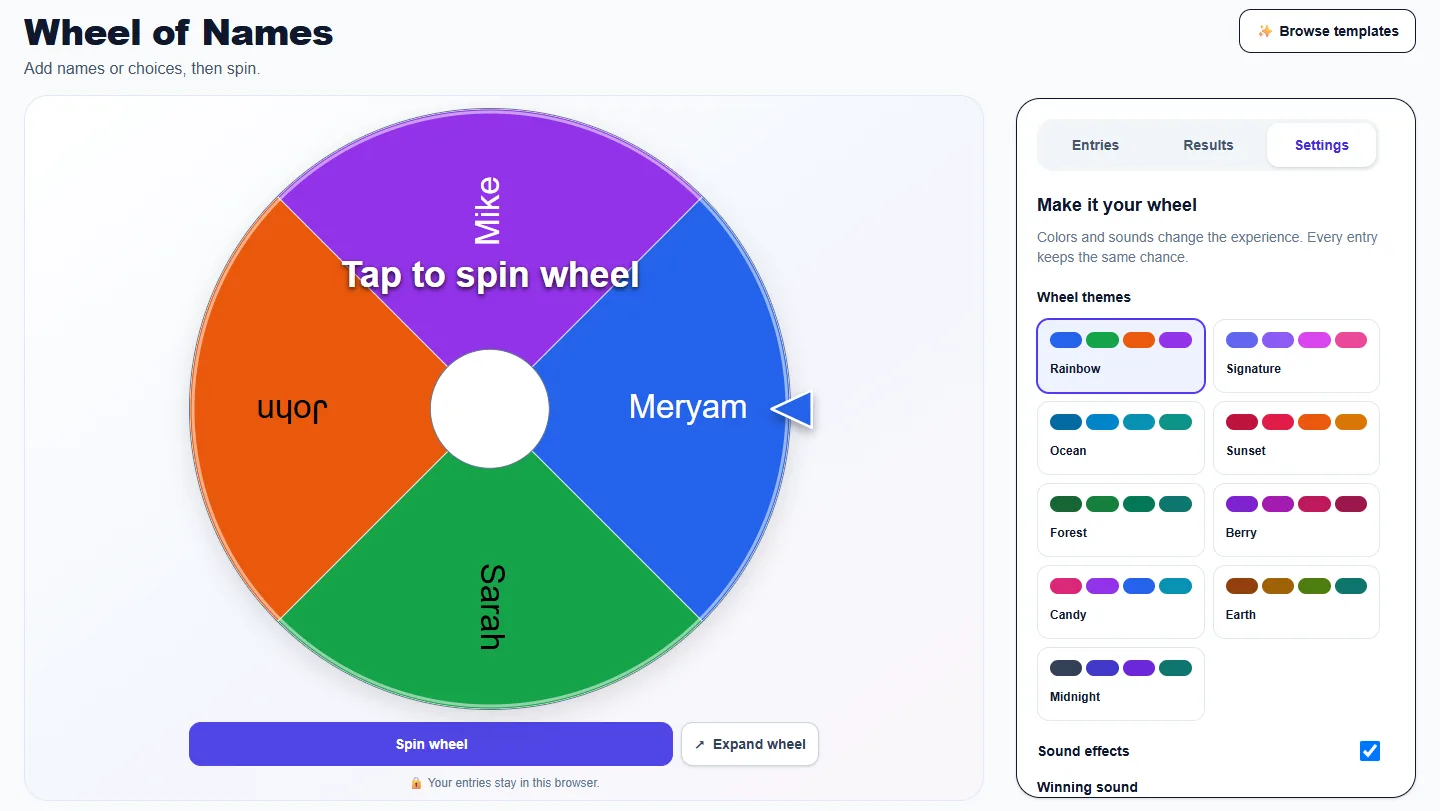
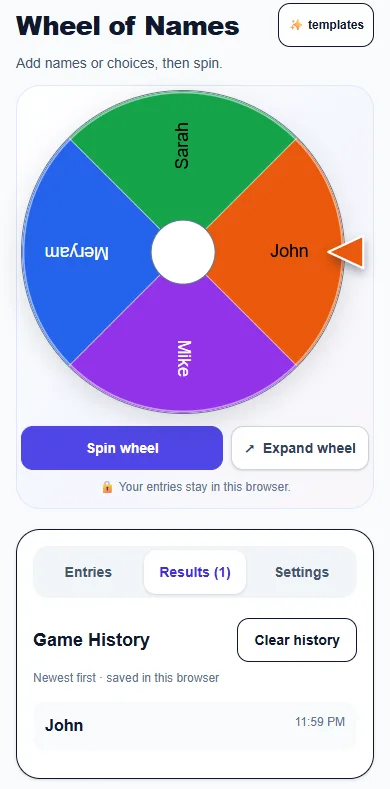
These captures show the current English controls on desktop and phone. Follow the steps below each image; your random results will vary. Select an image to view it at full size.
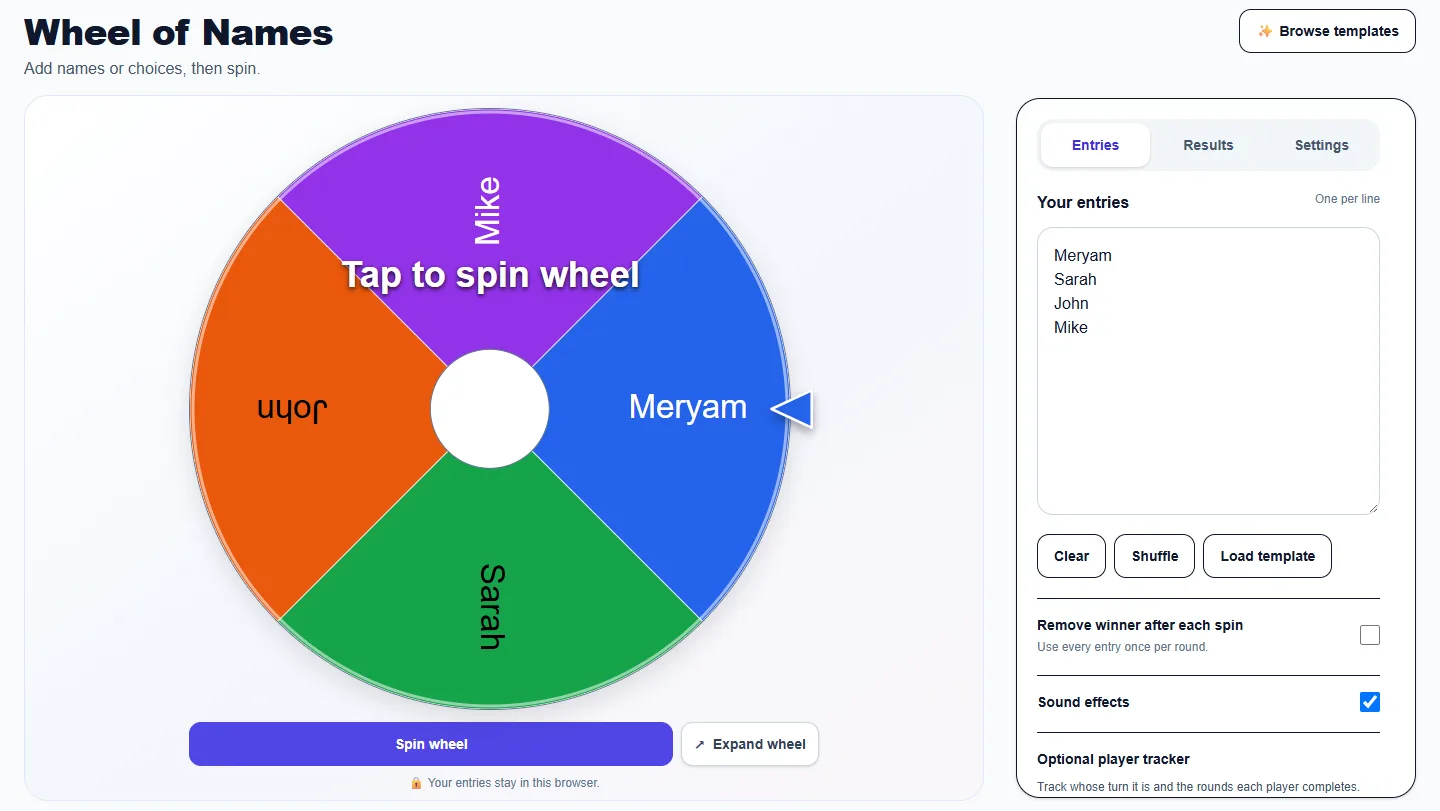
Use the controls available for this tool to edit choices, set a range or choose game rules. Review prompts and repeat settings before spinning. Use the Sound button below the wheel when you want to mute or restore wheel sounds.
Read previous selections, newest first, and use Clear history when you want an empty list. This leaves the active choices and no-repeat pool intact.
Choose a wheel theme, select a winning sound and preview it. Use the Sound button below the wheel to control wheel sounds. Colors and sounds do not change selection odds.
Open Results to see the newest selections first. Clear history removes that list; it does not restore removed winners or reset a no-repeat round. Use the tool’s reset control when you want to start a new round.
Open Settings to choose a theme and winning sound. Use the Sound button below the wheel to mute or restore wheel sounds. Turning sound off mutes wheel clicks and the winning sound. Choosing No winning sound only mutes the celebration. Your sound preference is remembered for this English tool in this browser when browser storage is available.
No. Themes only change appearance. Two-outcome wheels use two colors and three-outcome wheels use three. Repeated labels share a color in the selected theme. Entries, repeated slices and any weights still determine the odds.
In Entries, enable Track turns and completed rounds, then add up to 30 unique nicknames. A message explains any duplicate nicknames or names beyond the limit that are left out. Completed records a round and advances; Pass records a skip and advances. Pick random player changes the turn without recording a round. Reset rounds clears the counts. Spins do not advance the tracker automatically, and tracker data is saved in this browser.
More from Spinning My Wheel
Jump to another main picker when you need names, decisions, party prompts, or random numbers.
Add names or choices, spin the wheel, and pick one at random.
Current pageGet a random yes, no, maybe, or decision-style answer.
Open tool →Spin for Truth or Dare with built-in categories and prompts.
Open tool →Choose a number range or open one of our focused random generators.
Open tool →