Truth or Dare for Kids

Truth or Dare for Kids

Spin a clean, family-friendly Truth or Dare wheel with silly questions and safe challenges for kids, families, and classrooms.

🤪 Playing Silly mode

Choose a mode

Each mode draws from 50+ Truth questions and 50+ Dare challenges.

🤪

Selected mode

Silly

Goofy questions and safe dares made for laughs.

110
Truths
108
Dares
🔄 Prompts do not repeat until the selected mode has been exhausted.

Optional player tracker

Track whose turn it is and the rounds each player completes. These are turn counts, not scores.

🤪 Silly

Silly Truth Questions and Dares

Showing 50 of 110 Truths and 50 of 108 Dares from the selected Silly mode.

Truth Questions

1.What is your favorite silly word?
2.If you could be any animal for a day, what would you be?
3.What is the funniest sound you can make?
4.What food would you never want to eat every day?
5.If your backpack could talk, what would it say?
6.What is the funniest face you can make?
7.What is your favorite joke?
8.If you could invent a new ice cream flavor, what would it be?
9.What is the silliest dream you remember?
10.If you had a pet dinosaur, what would you name it?
11.If you could have any pet, what would it be?
12.What is your favorite family tradition?
13.What superpower would you choose?
14.What food could you eat every week?
15.What is something you are really good at?
16.What is your favorite game?
17.Where would you go in a time machine?
18.What is the funniest thing that happened at school?
19.Which cartoon character would be your best friend?
20.What kind thing did someone do for you recently?
21.If toys could talk, which toy would be the funniest?
22.What is the best thing about your family?
23.What job would you like to try for one day?
24.What is your favorite thing to learn about?
25.If you designed a playground, what would it have?
26.What is the nicest compliment you have received?
27.Which season is the most fun and why?
28.What would you name a new planet?
29.What is one thing that always cheers you up?
30.If you wrote a book, what would it be about?
31.What would you put in a tiny garden for fairies?
32.Which animal would you invite to a pretend tea party?
33.What color would you choose for a cloud?
34.What would your dream treehouse look like?
35.Which part of the day do you like best?
36.What game would you teach a friendly alien?
37.What would a robot need to learn about being kind?
38.If you could talk to a bird, what would you ask?
39.What is your favorite thing to draw?
40.Which sound reminds you of a happy day?
41.What would you call a boat that can fly?
42.What would you pack for a pretend moon picnic?
43.Which story would you like to step into?
44.What could you build with a hundred cardboard boxes?
45.What is something you like doing with a friend?
46.What would a dinosaur's bedroom need?
47.What is a new game rule that would make everyone giggle?
48.What would you teach a puppy that could speak?
49.What is something nice you can do without buying anything?
50.What would a talking pencil tell you?

Dare Challenges

1.Hop like a bunny for 15 seconds.
2.Make three different animal sounds.
3.Walk across the room like a penguin.
4.Pretend you are a dinosaur for 20 seconds.
5.Sing the alphabet in a silly voice.
6.Make the funniest face you can.
7.Pretend you are a frog for 15 seconds.
8.Do five silly dance moves.
9.Act like a monkey for 20 seconds.
10.Make up a silly superhero pose.
11.Use your fingers to show a pretend bunny hopping.
12.Make up a greeting for a friendly penguin.
13.Show your best superhero pose.
14.Name three things you might see in a pretend forest.
15.Give a friendly dinosaur a ten-second introduction.
16.Make up three little dance gestures with your hands.
17.Draw an imaginary picture in the air.
18.Say your name backwards as best you can.
19.Pretend to steer a superhero vehicle while seated.
20.Make a pretend crab with your fingers.
21.Name five animals as quickly as you can.
22.Make up a silly rhyme with your name.
23.Show a funny face for three seconds, then relax.
24.Pretend to be a robot cleaning the room.
25.Draw a star in the air using your elbow.
26.Count backward from ten in a funny voice.
27.Act out your favorite sport without speaking.
28.Make a sound effect for an imaginary rocket launch.
29.Invent a friendly monster and give it a silly name.
30.Make a tiny drumroll with your fingers.
31.Say hello as a sleepy owl and then as an excited puppy.
32.Draw a pretend rainbow in the air.
33.Tell a ten-second story about a lost teddy bear.
34.Count three imaginary stars with a surprised voice.
35.Give an invisible kitten a name and a favorite game.
36.Announce the arrival of a very small king or queen.
37.Pretend to steer a spaceship while seated.
38.Make up a word for the sound of a happy dragon.
39.Use your hands to show a flower opening.
40.Introduce yourself as a storybook explorer.
41.Tell a joke about an imaginary sandwich.
42.Make a pretend hat with your hands.
43.Name three things a pirate might keep in a treasure chest.
44.Give a toy an imaginary voice without needing to fetch it.
45.Describe a new ice cream flavor without tasting anything.
46.Say a kind sentence to a pretend new classmate.
47.Mime painting a giant picture while seated.
48.Make up a two-line song about a puddle.
49.Describe a friendly robot's first day at school.
50.Show a surprised, happy and sleepy face in any order.

Family-friendly game

How to use Truth or Dare for Kids

Age-appropriate questions and simple movement challenges for families, classrooms and children’s parties.

Truth or Dare for Kids uses a separate family-friendly prompt pool with clean questions and harmless movement challenges. It can add structure to a family game night, classroom break or children’s party.

An adult should still review the setting, supervise the game and let every child skip freely. Kids mode is isolated from the adult and spicy libraries, and changing modes resets the active round safely.

Using Entries, Results and Settings

Entries: set up the round

Use the controls available for this tool to edit choices, set a range or choose game rules. Review prompts and repeat settings before spinning. The Sound effects switch is below these controls.

Results: review your history

Read previous selections, newest first, and use Clear history when you want an empty list. This leaves the active choices and no-repeat pool intact.

Settings: choose the look and sound

Choose a wheel theme, select a winning sound and preview it. The Sound effects switch here stays synchronized with Entries. Colors and sounds do not change selection odds.

Wheel controls FAQ

Where can I find or clear previous results?

Open Results to see the newest selections first. Clear history removes that list; it does not restore removed winners or reset a no-repeat round. Use the tool’s reset control when you want to start a new round.

How do I change colors or turn sound off?

Open Settings to choose a theme and winning sound. Sound effects is also available in Entries; both switches control the same setting. Turning sound off mutes wheel clicks and the winning sound. Choosing No winning sound only mutes the celebration. Your sound preference is remembered for this English tool in this browser when browser storage is available.

Do themes change the chance of winning?

No. Themes only change appearance. Two-outcome wheels use two colors and three-outcome wheels use three. Repeated labels share a color in the selected theme. Entries, repeated slices and any weights still determine the odds.

How does the optional player tracker work?

In Entries, enable Track turns and completed rounds below Sound effects, then add up to 30 unique nicknames. A message explains any duplicate nicknames or names beyond the limit that are left out. Completed records a round and advances; Pass records a skip and advances. Pick random player changes the turn without recording a round. Reset rounds clears the counts. Spins do not advance the tracker automatically, and tracker data clears on refresh.

  1. 1

    Choose a clean prompt category.

  2. 2

    Let a child spin with an adult nearby.

  3. 3

    Read the prompt aloud and allow a no-pressure skip.

Truth or Dare for Kids: Setup and Example Results

These captures show the current English controls on desktop and phone. Follow the steps below each image; your random results will vary. Select an image to view it at full size.
Set up on desktop

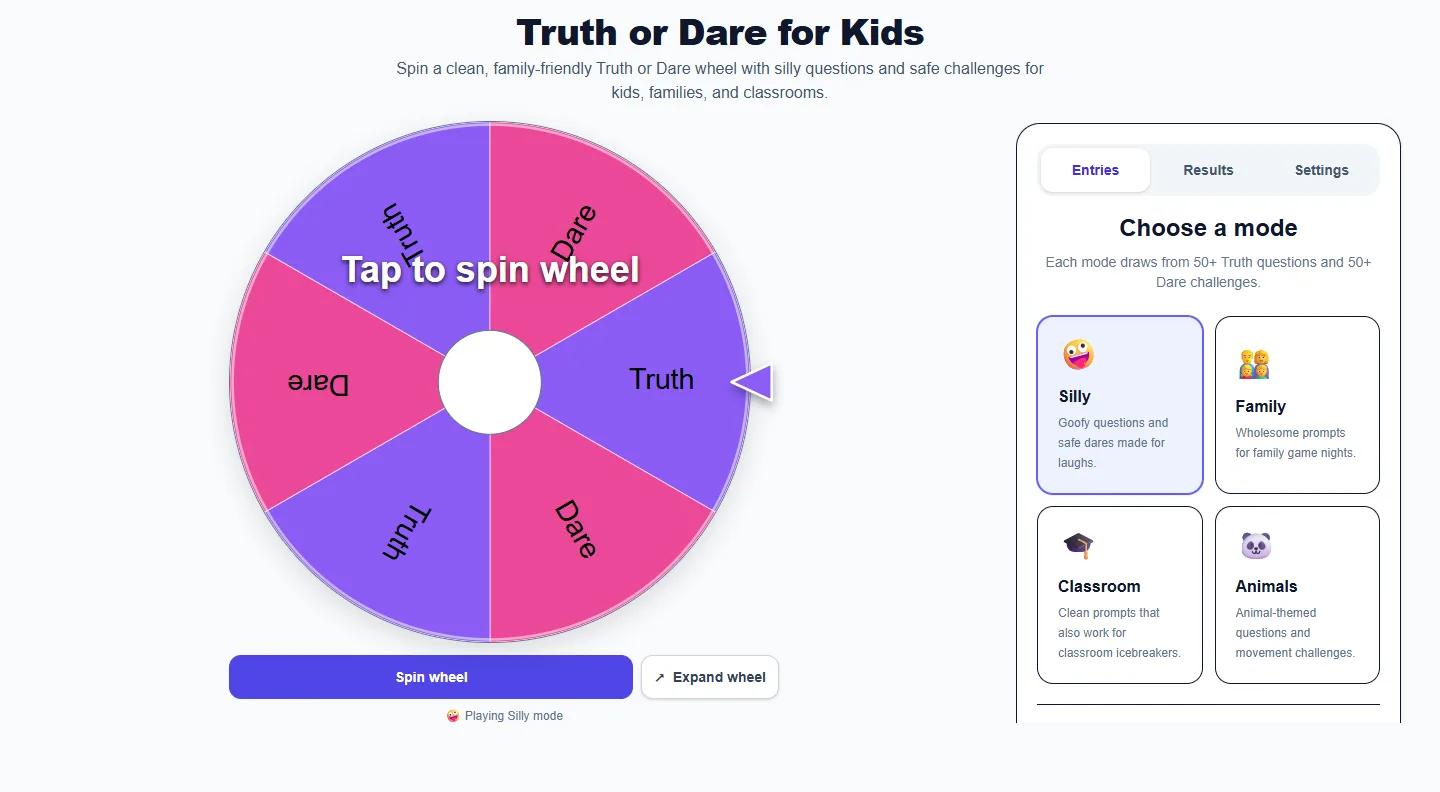
Truth or Dare for Kids: desktop setup and controls
Choose a mode or maximum intensity in Entries before spinning. Agree on boundaries and allow every player to pass. On desktop, scroll the control panel to reach any controls below the visible area.

Appearance and sound settings

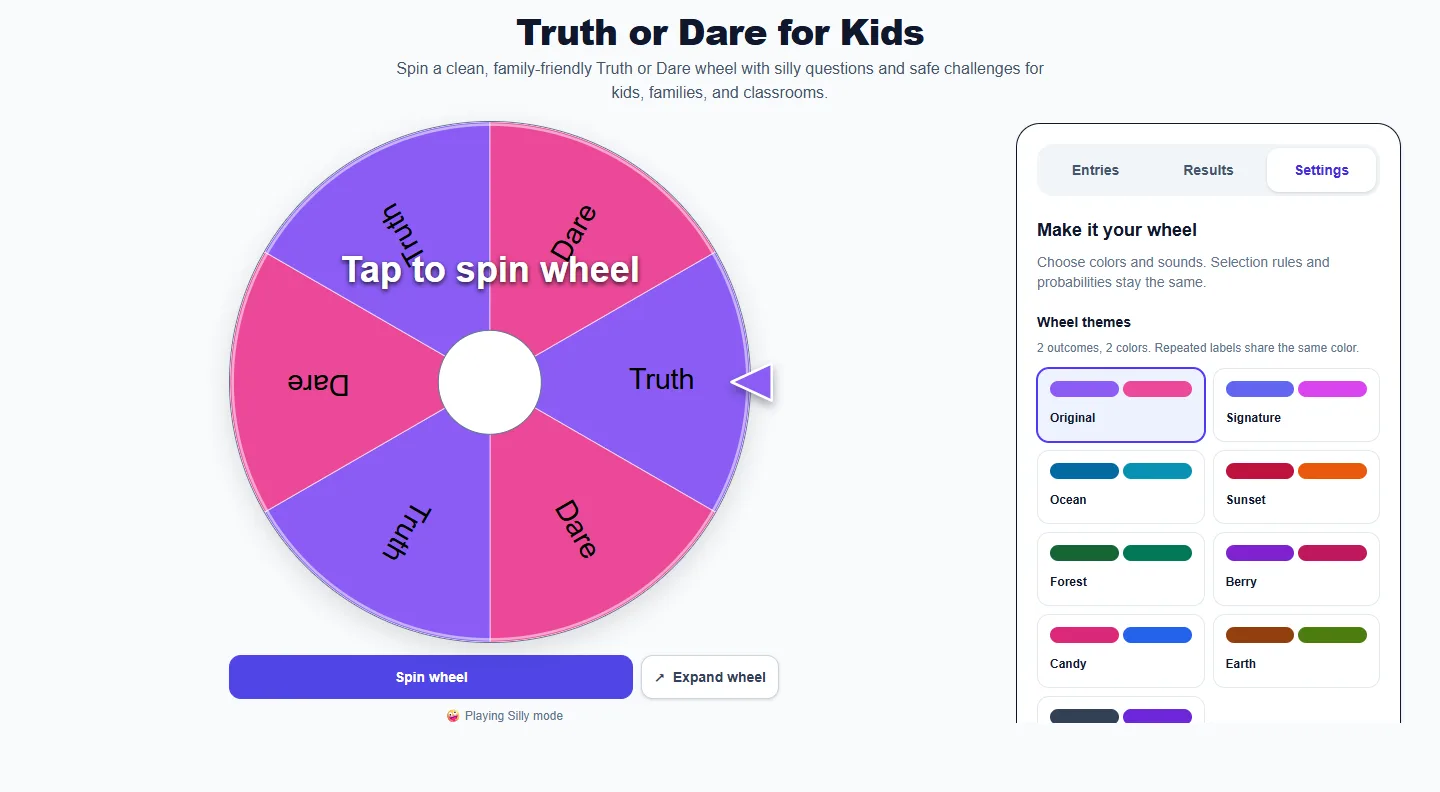
Truth or Dare for Kids: Settings panel with themes and sound controls
Open Settings for themes and Winning sound. Scroll the panel to reach lower controls. Sound effects stays synchronized with Entries. No winning sound mutes the celebration while leaving wheel clicks available when Sound effects is on.

Read the result

Truth or Dare for Kids: completed example and available controls
Read the Truth or Dare prompt after the spin. Use the alternative-prompt control when needed and Results for earlier prompts. The optional player tracker records completed rounds and passes separately from spins.

Use it on a phone

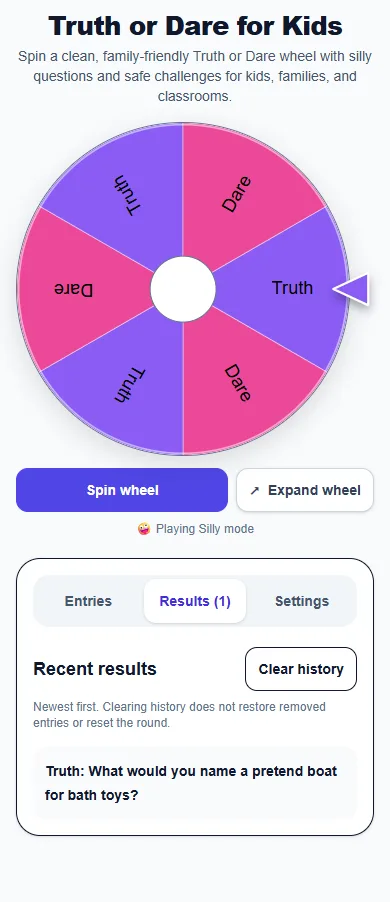
Truth or Dare for Kids: phone layout showing the Results panel
On a phone, the wheel and control panel stack vertically. Open Results to review earlier selections, Entries to adjust the next round, or Settings for appearance and sound.

Real examples

  • Use it during a family game night.
  • Let a teacher pick a classroom icebreaker.
  • Add a quick activity to a birthday party.

Best ways to use it

  • Family game nights
  • Classroom brain breaks
  • Children’s birthday parties

Frequently asked questions

Are these Truth or Dare prompts clean?

Yes. The page is designed around family-friendly questions and harmless challenges.

What ages can play?

The prompts are written for school-age children, but an adult should review and supervise based on the group.

Can a child skip a prompt?

Yes. Skipping should always be allowed.

More from Spinning My Wheel

Explore Our Main Tools

Jump to another main picker when you need names, decisions, party prompts, or random numbers.